DOCS · INTEGRATIONS
Connect CheckoutChamp
Five minutes, start to finish. No technical skills needed.
Right now, shoppers who don't finish a CheckoutChamp checkout never get a follow-up text.
Make us the API login below and we'll text them, and past customers will be able to reorder by replying YES, charged to the card already on their order.
- Log in to CheckoutChamp at crm.checkoutchamp.com. Opens in a new tab, so you can keep this page open beside it.
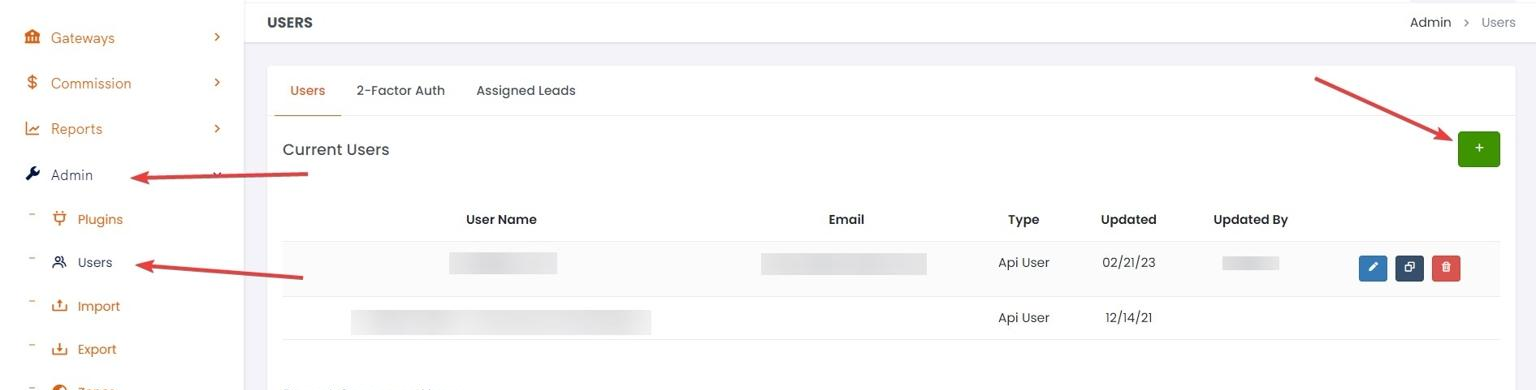
- Go to Admin → Users and click the green + button.
- Name the new user (e.g.
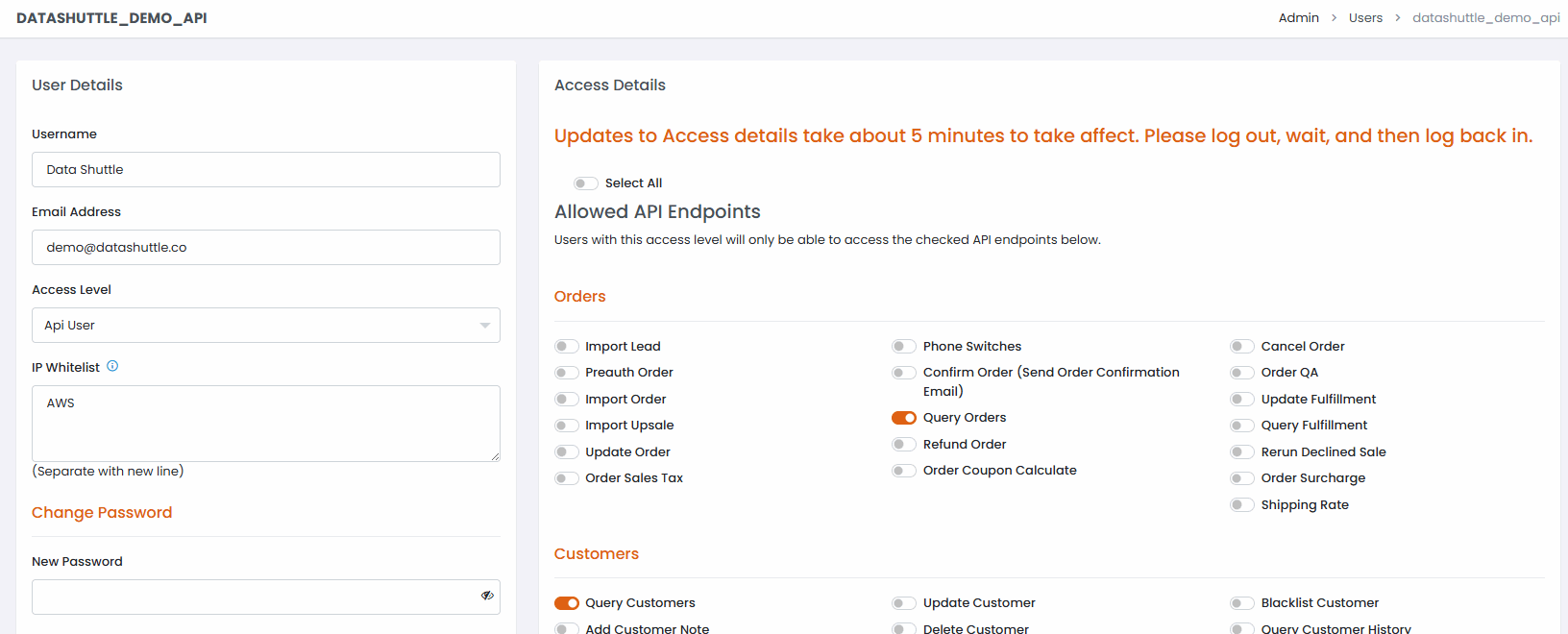
abandoned-cart-texting) and set a password. Any password without an&symbol works. For the access level, choose Api User. - Under IP Whitelist, enter
142.93.139.11. That's the one server that will ever ask for your data. - Under Allowed API Endpoints, switch these on, then save. Checkout Champ takes about 5 minutes to apply them:
- Query Orders, Import Upsale, Import Order and Refund Order (under Orders)
- Query Purchase, Update Purchase, Pause Purchase and Cancel Purchase (under Purchases)
- Query Campaign and Query Product (under Reports, Campaigns, Products)
- Everything under Coupons (so we can make the discount codes ourselves instead of asking you to)
Send us the login
The user's name is the Login ID, and the password is the one you just set. We check it against CheckoutChamp the moment you submit, so you'll know right here whether it worked.
You're signed out, so we can't tell which store this belongs to. Sign in, then come back to this page.
Questions, or want us to walk through it on a quick call instead? Reach us at [email protected].